







Best Casino Offers of 2026




Full T&Cs apply. 18+. New Casino players only. Deposit required. Play €10+ on qualifying games. 25x wager required. Accept Bonus within 14 days. Bonus valid for 30 days. Certain deposit types excluded. Player restrictions and T&Cs apply. GambleAware.





Full T&Cs apply. 18+. New Casino players only. Deposit required. Play €10+ on qualifying games. 25x wager required. Accept Bonus within 14 days. Bonus valid for 30 days. Certain deposit types excluded. Player restrictions and T&Cs apply. GambleAware.





What's Included





Explore




The Block System
Every page on this site is built using the block system. No page builder, no shortcodes. Blocks cover the full range of casino affiliate content needs: toplists, casino and bonus grids, FAQ sections, step-by-step guides, and pros and cons breakdowns. Each block offers multiple layout styles, can be reordered freely, and is configured through a simple field interface. Building a page is a matter of adding blocks in the order you need them.
Block Configuration
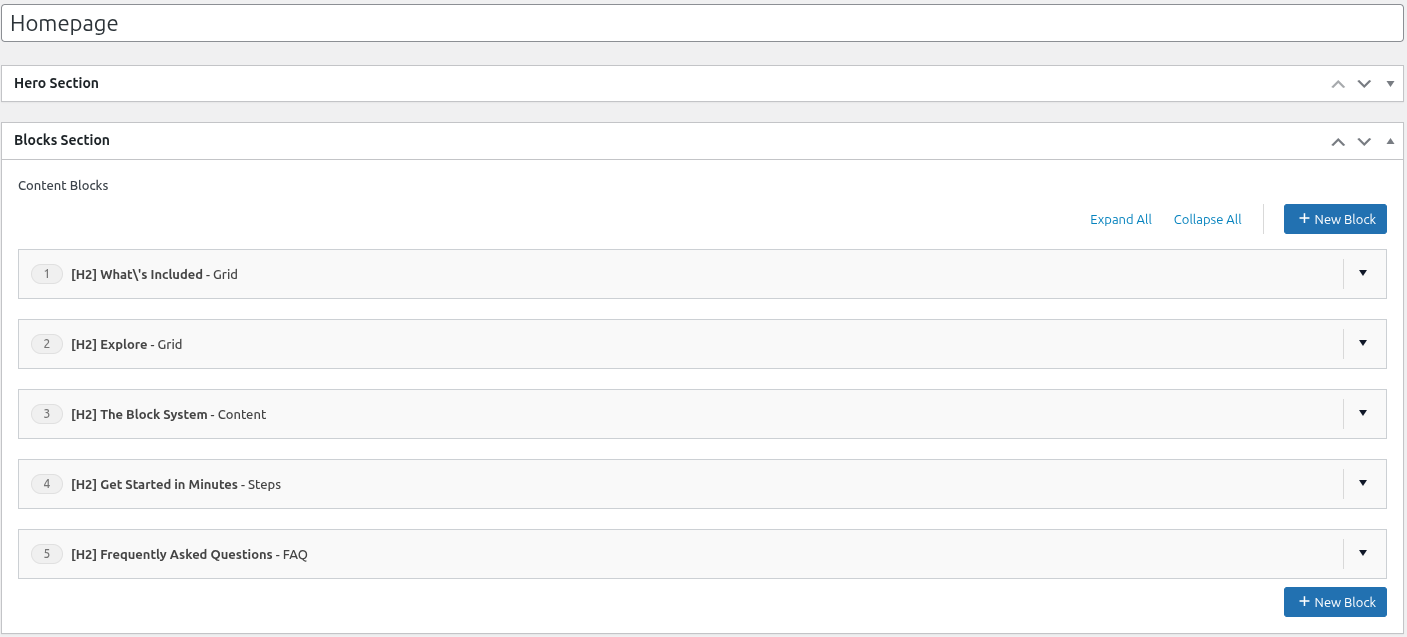
Every block is split into two areas in the admin: block settings and block-specific fields. Block settings handle the universal options like title, subtitle, heading level, and optional content before and after the block. Block-specific fields handle the block content itself. For example grid block has fields for choosing the post type, layout style, and item count. The settings panel also gives you a clear overview of all blocks on the page and their titles at a glance, making it easy to manage structure and keep your heading hierarchy correct without thinking about it.
Get Started in Minutes
Purchase & Download
Pick up a licence from our site. After checkout you'll be able to download theme files and you will have access to licence key. Keep both handy for the next steps.
Install the Theme
Upload the theme zip via Appearance → Themes → Add New in your WordPress admin and activate it.
Activate Your Licence
Head to Theme Settings →License in your WordPress admin and enter your licence key. Your key is available in your Kraftersuite account under the licenses area.
Once activated, all theme features are unlocked including the demo setup wizard and any available blocks.
Run the Setup Wizard
Head to the theme settings and launch the demo setup wizard. Configure your starting point step by step:
- Name your casinos and choose how many to generate
- Define your bonus types and their keys
- Select currencies and mark a default
- Optionally add software providers, slots, and an author
Hit Complete Setup and the theme populates your site with structured demo content tailored to your configuration.
Build Your Site
Replace demo content with your own data Use the block system to build out pages, configure your navigation, and switch colors to match your brand.
Frequently Asked Questions
Bankroll Casino requires PHP 8.3 or higher, WordPress 6.0 or higher, and a modern browser for the admin. No additional plugins are required.
Each licence covers one production site and one development site.
Neither is required or used. Bankroll Casino has its own purpose built block system. Each post type template is built using blocks like Toplist, Content, Grid, FAQ, Steps, and ProsCons. All configured directly in the WordPress admin without a page builder.
Yes. Every block template in can be overridden from a child theme by placing a modified file at the same path. The theme picks it up automatically, and your changes stay intact through parent theme updates.
The wizard walks you through configuring casinos, bonus types, currencies, software providers, slots, and an optional author before anything is imported. Based on your input it generates structured demo content that is properly linked so you have a realistic starting point to build on rather than a blank site.
Yes. Every purchase includes 12 months of priority support through your Kraftersuite account. Questions, bug reports, and requests are handled on same day.
Every purchase includes 12 months of theme updates from the date of purchase. During that period you can download the latest version at any time through your Kraftersuite account.
The theme keeps working. Nothing breaks and your site is unaffected. You just won’t be able to download versions released after your licence period ends. Renewal is available through your Kraftersuite account if you want to get back on the latest release.